
Table of contents
How a return works
1. The delivery fails (customer absent, refused, damaged…). A return file opens: Return requested.
2. The driver hands the package back at the depot at the end of the day.
3. Your team receives the return: the package is At warehouse.
4. You decide: reschedule, return to the sender, cancel the order, or hold it.
As long as a return is not processed, its order cannot go on a route. Plan Routes and Add to route refuse it with … has a carton in a return not processed yet: it cannot go on a round. Process the return from the warehouse inventory (Returns) first.
Open the returns
In Warehouse, open the warehouse's ⋮ > Inventory, then click Returns. The Returns window has three tabs.
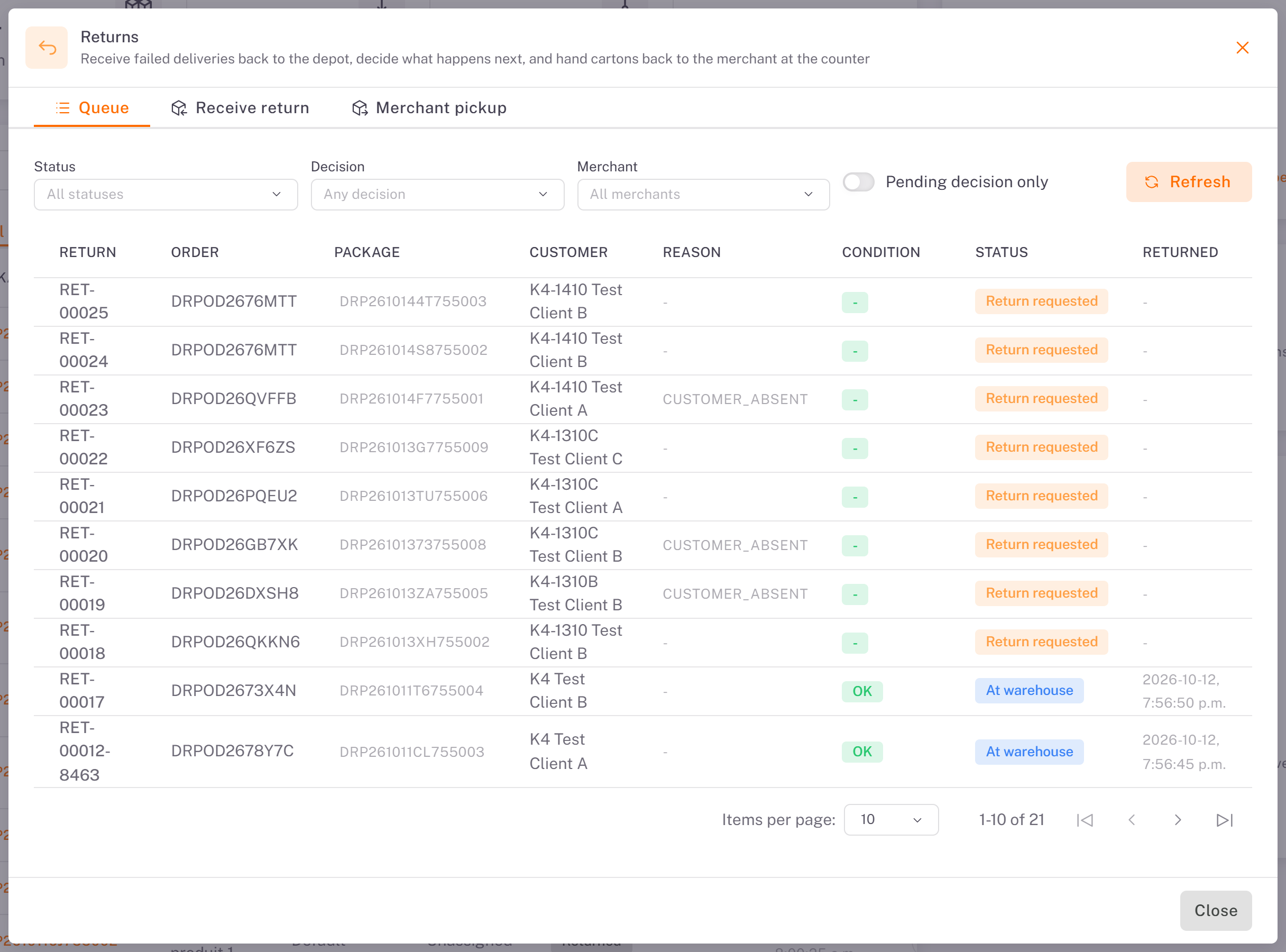
Queue
The list of return files: return, order, package, customer, reason, condition, status and date. Filter by Status, Decision or Merchant, or tick Pending decision only.
Receive return
1. Scan or paste the Package code, then click Lookup.
2. Choose the Condition (OK, DAMAGED, OPENED, MISSING_PART or WRONG_PACKAGE). For DAMAGED, OPENED and MISSING_PART, a Photo and a Comment are required.
3. Optionally choose a Return bin, then click Record return.
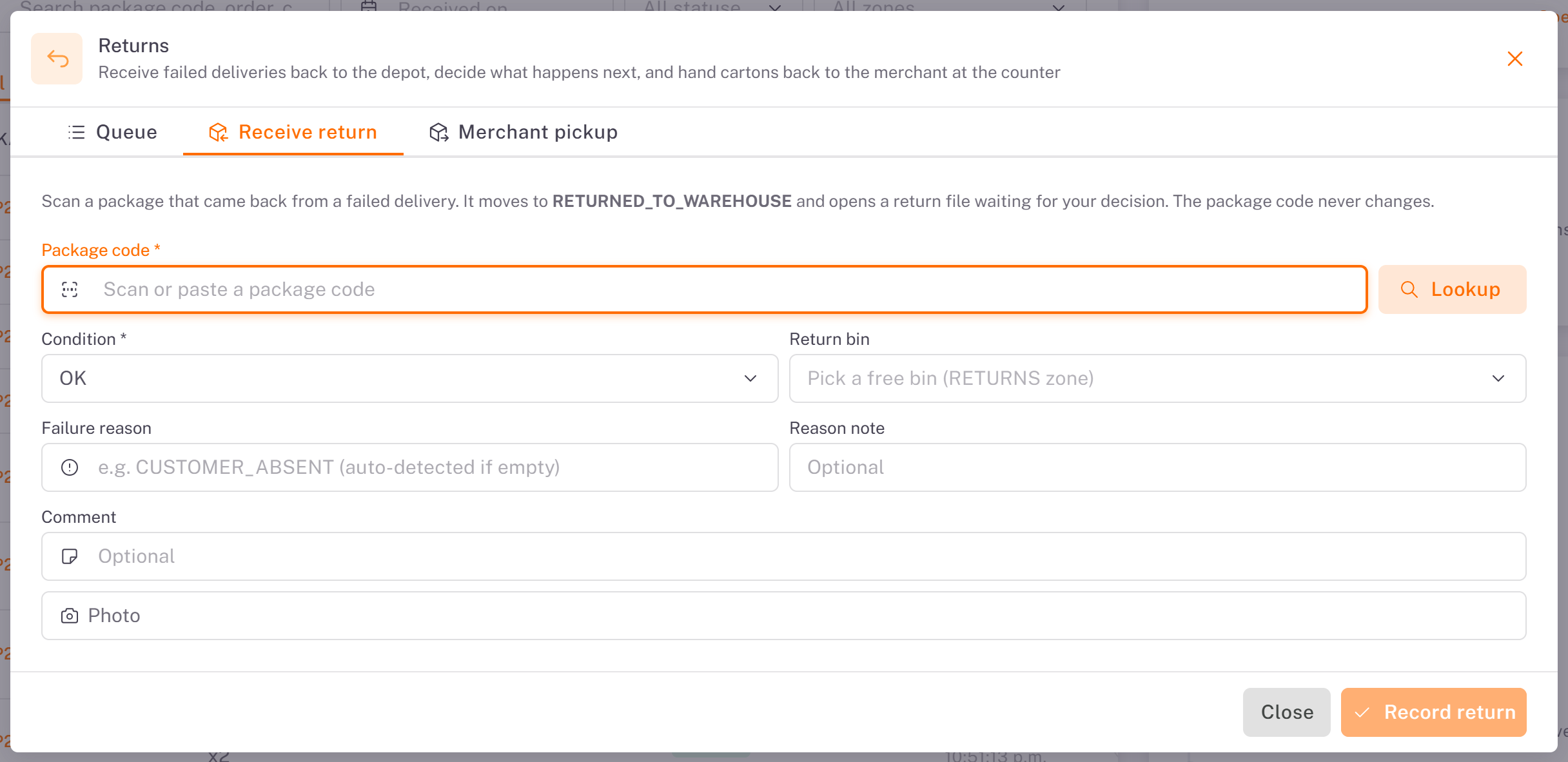
The package moves to At warehouse and waits for your decision.
Decide
In Queue, click Decide on the return and choose:
Decision What it does
Reschedule The package becomes plannable again and can go back onto a route.
Return to sender Queues the package for the reverse delivery to the merchant (Assign route then puts it on a route). |
Cancel order Cancels the order for good; the bin is released.
Hold in warehouse Keeps the package until further instruction.
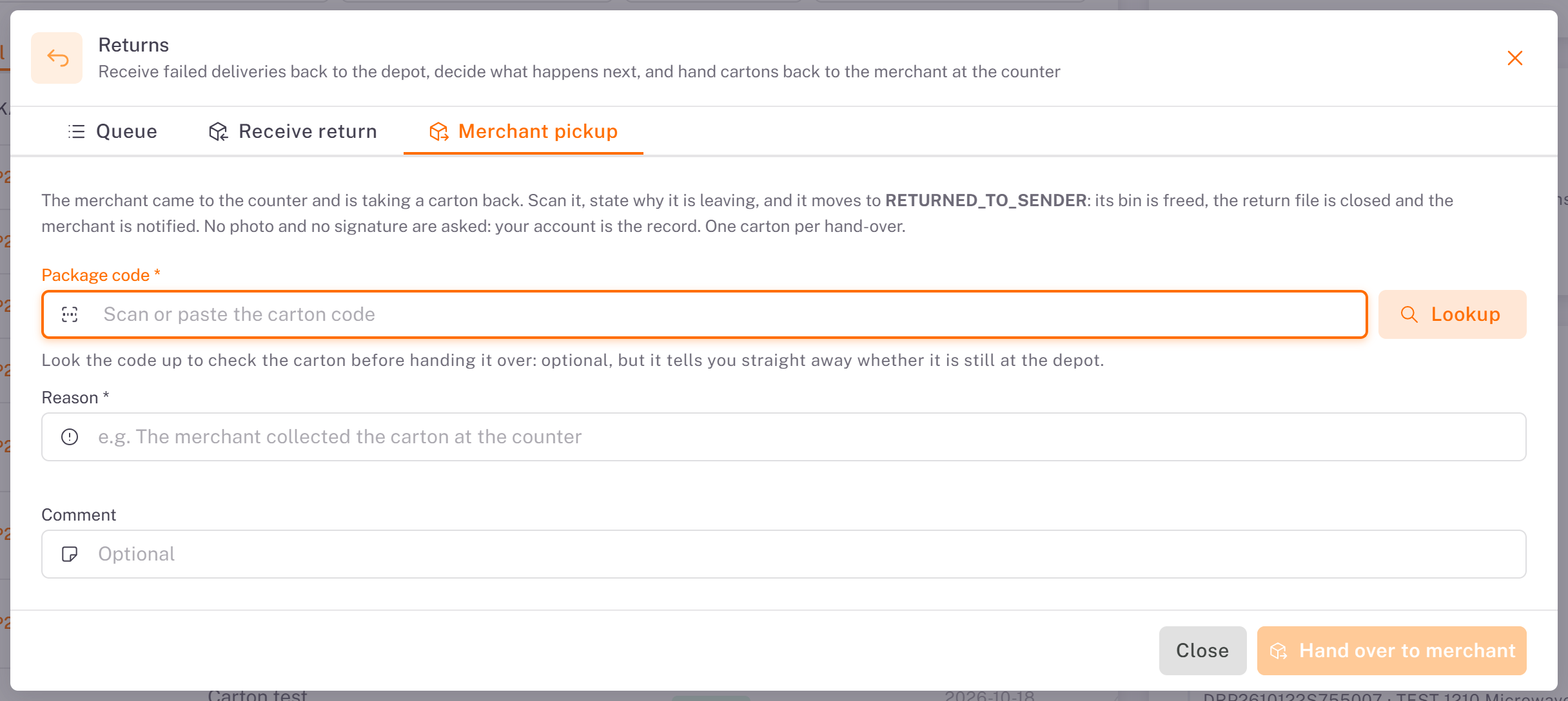
Merchant pickup
When the merchant comes to the counter for their carton: scan the Package code (Lookup checks it is still at the depot), enter a Reason, then click Hand over to merchant. The return is closed and the merchant is notified.
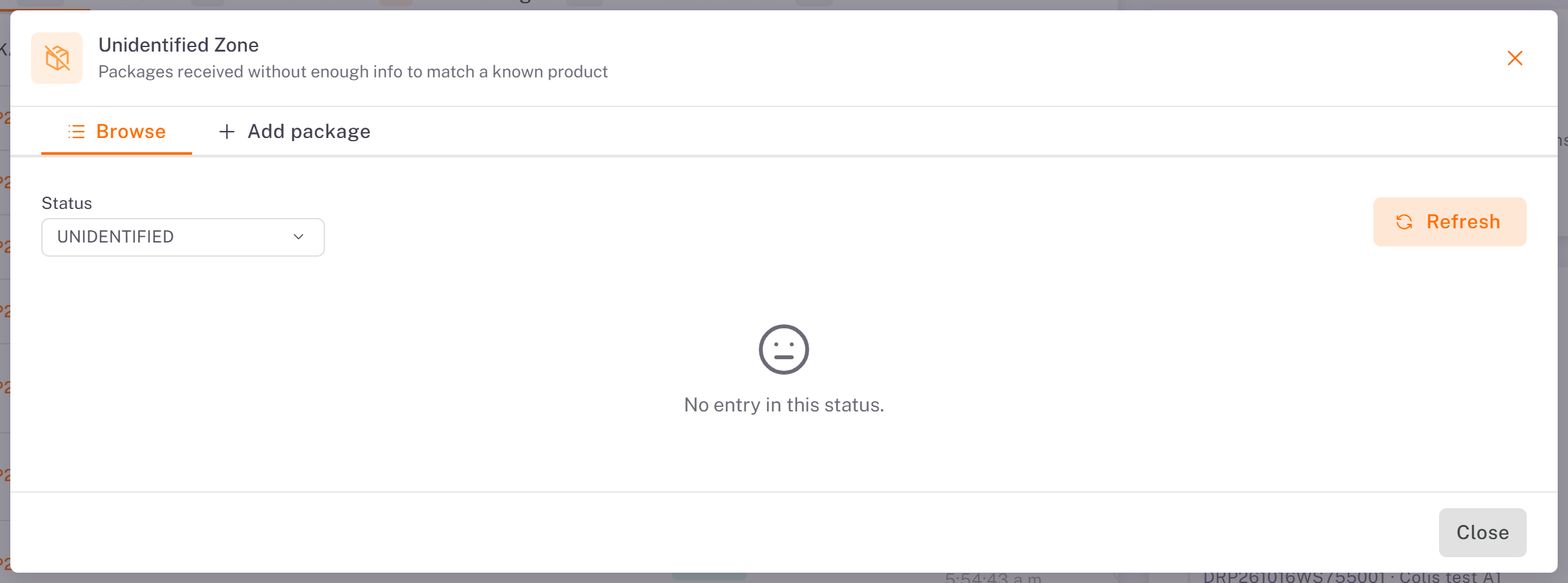
Unidentified packages
In the inventory, Unidentified opens the Unidentified Zone: packages received without enough information to match a known order.
Add package records a carton you cannot identify yet.
Browse lists them by status. Identify links a package to its order once you know it; Resolve or Discard package closes it.
Was this article helpful?
Still need help?
Contact support