
Table of contents
Before you begin
Your drivers are signed in to the driver app, with GPS Tracking on, and have started their route. The app shares the position only while a route of the day is under way.
Open Live tracking
In the menu, open Live tracking.
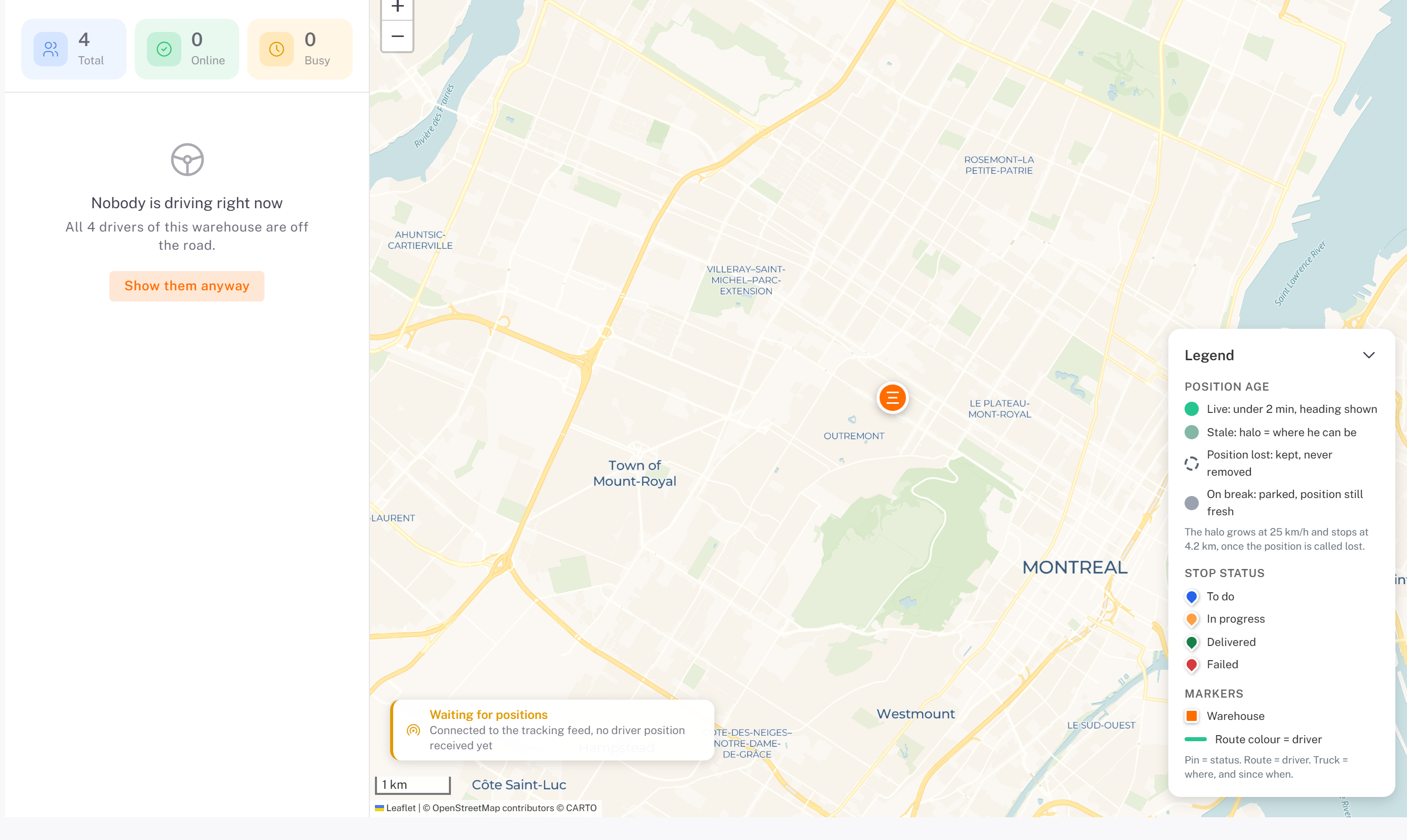
The counters at the top left show your drivers: Total, Online and Busy.
The list shows the drivers on the road. When nobody is driving, it says so (Nobody is driving right now); click Show them anyway to see every driver.
Click a driver to center the map on them. Their card shows their Stops, with Open driver (their details) and Call driver.
Read the map
The Legend (bottom right) explains the markers:
Item Meaning
Position age | Live: under 2 minutes, with the heading. Stale: a halo shows where the driver can be by now. Position lost: the last position is kept. On break: parked, position still fresh.|
Stop status | To do, In progress, Delivered, Failed.
Markers The warehouse, and the route drawn in the driver's color.
Waiting for positions means the map is connected but no driver has sent a position yet.
Was this article helpful?
Still need help?
Contact support