
Table of contents
Open Analytics
In the menu, open Analytics. Choose the period at the top right: Today, Last 7 days or Last 30 days. Every section follows it.
The key figures and the comparison
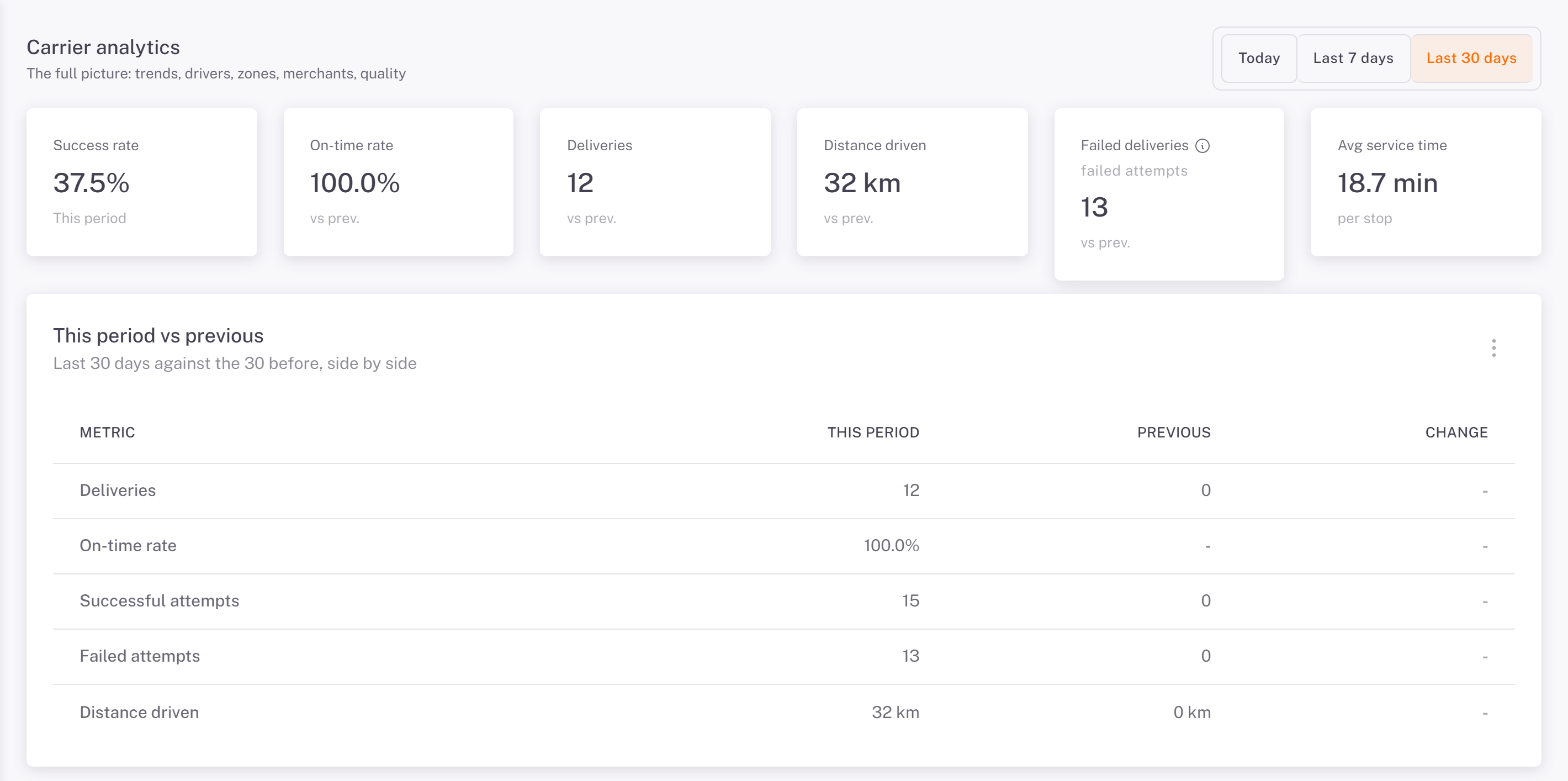
Success rate, On-time rate, Deliveries, Distance driven and Avg service time (per stop).
Failed deliveries counts failed attempts, not orders: an order that failed, then was delivered, keeps its failed attempt. Hover the info icon to see the Successful attempts and the failures by reason.
This period vs previous sets the period against the one before it, line by line.
Trends and drivers
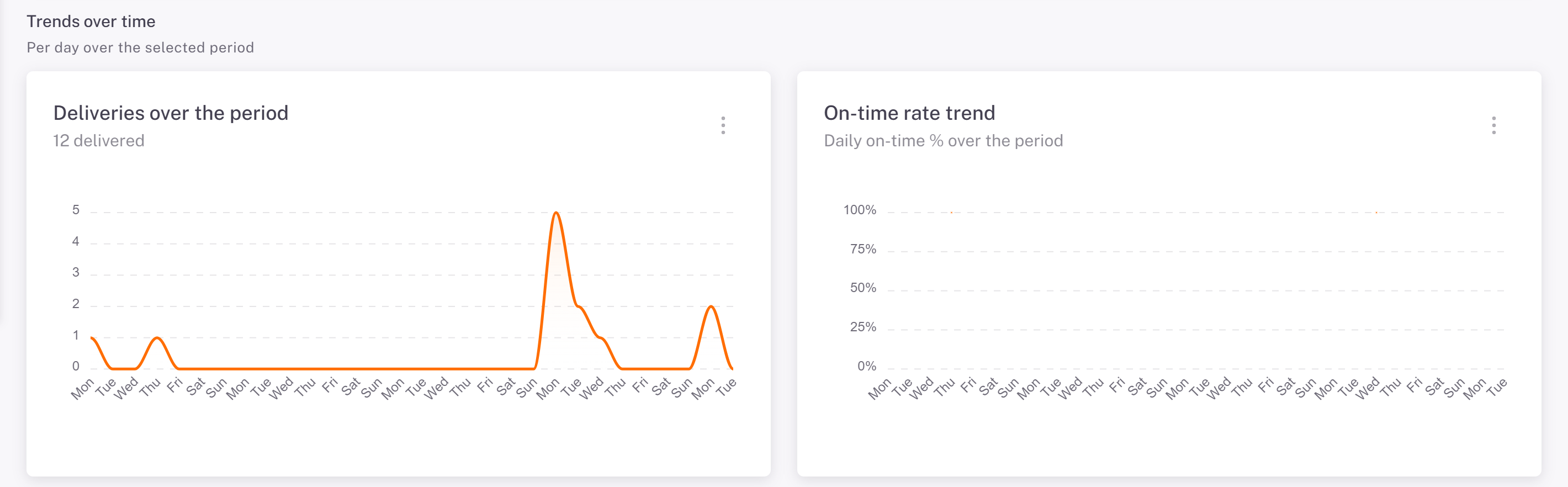
Trends over time: deliveries per day and the daily on-time rate.
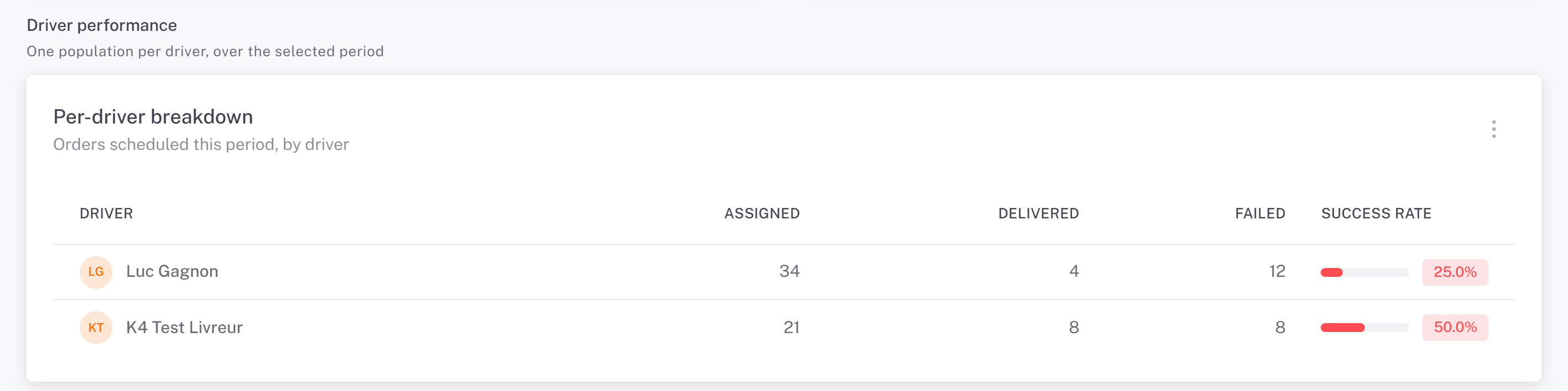
Driver performance: per driver, the orders assigned, delivered and failed, and the success rate.
Zones and merchants
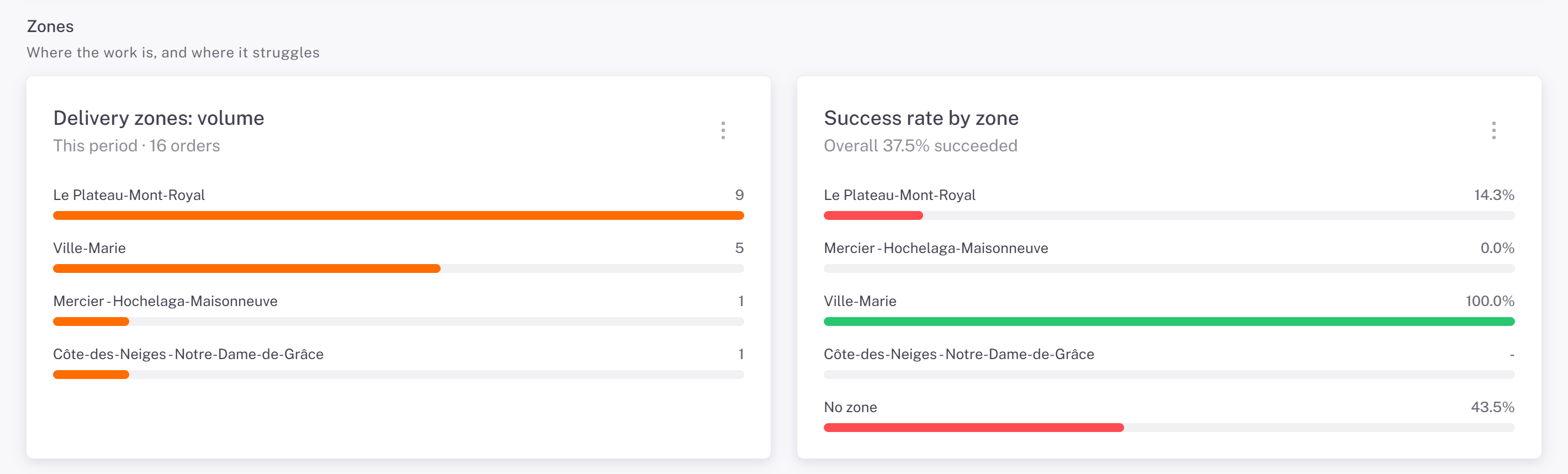
Zones: the volume per delivery zone and the success rate per zone. No zone gathers the addresses without a zone.
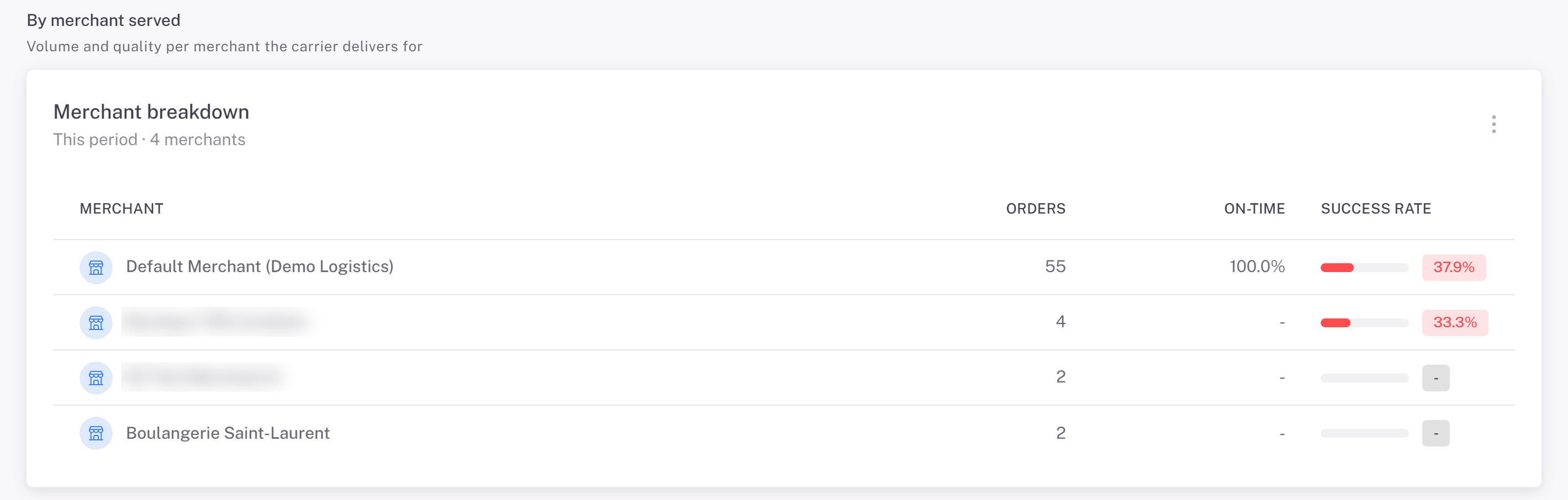
By merchant served: orders, on-time and success rate per merchant.
When deliveries happen, quality, the longer view
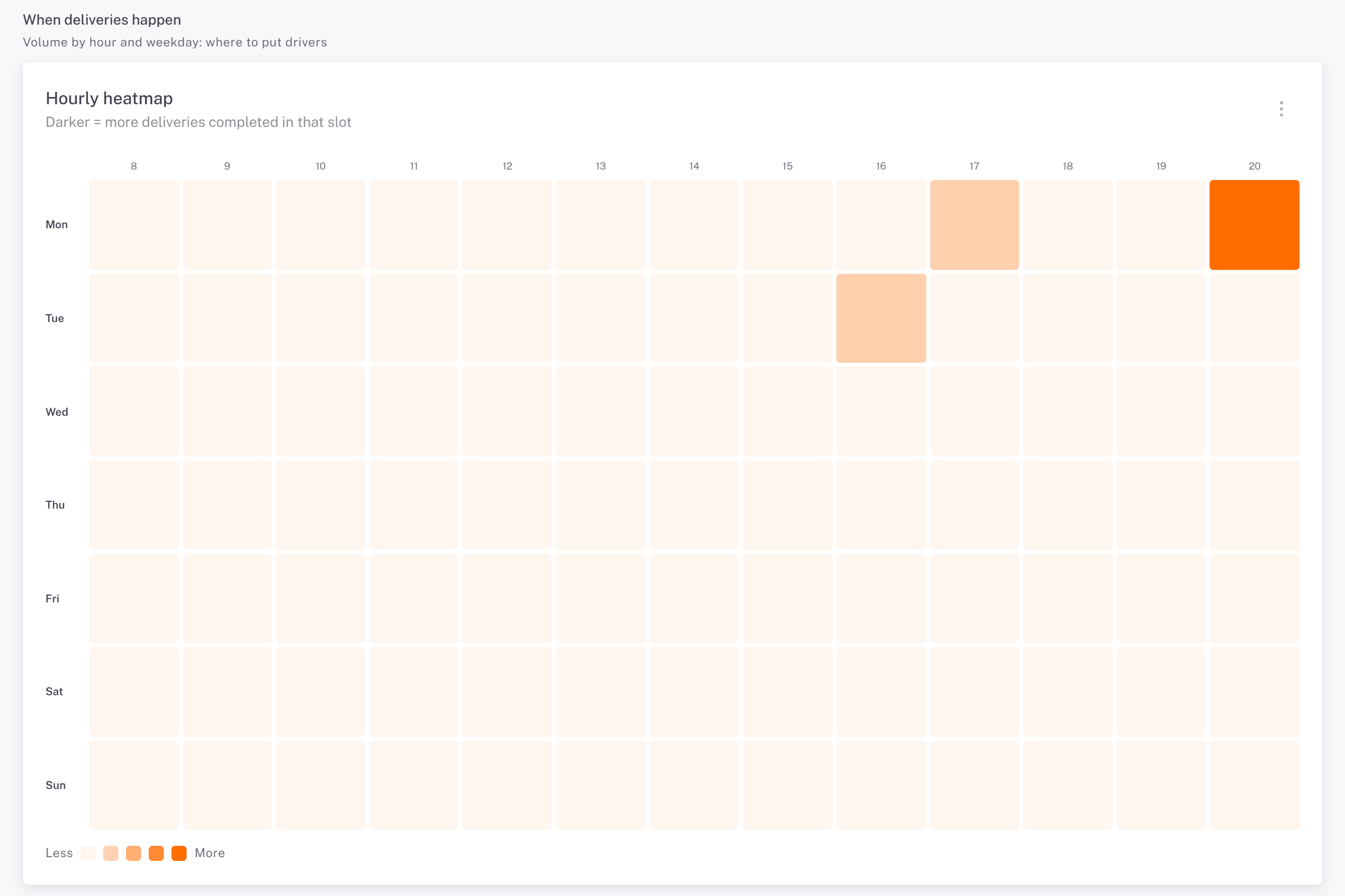
When deliveries happen: the darker a cell, the more deliveries were completed in that hour of that weekday. Use it to plan your drivers' shifts.
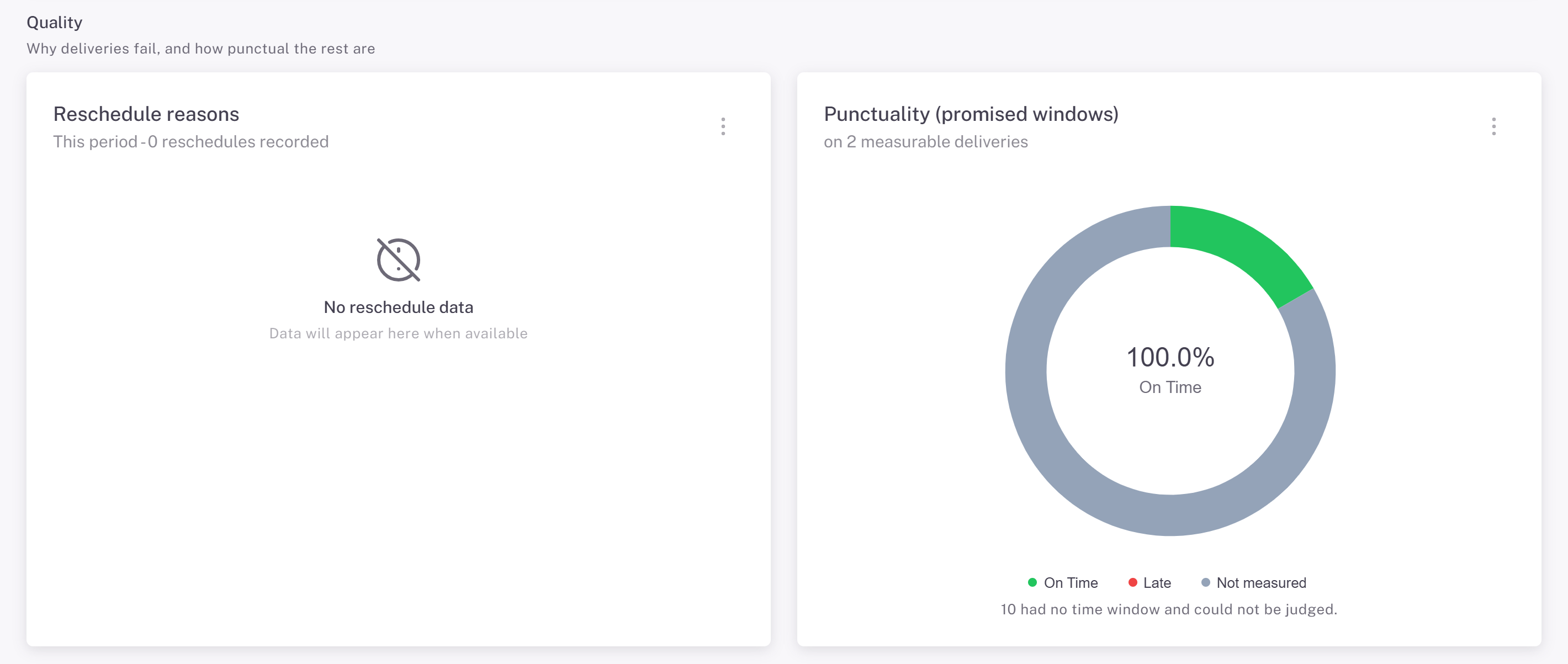
Quality: the reschedule reasons, and punctuality against the promised windows.
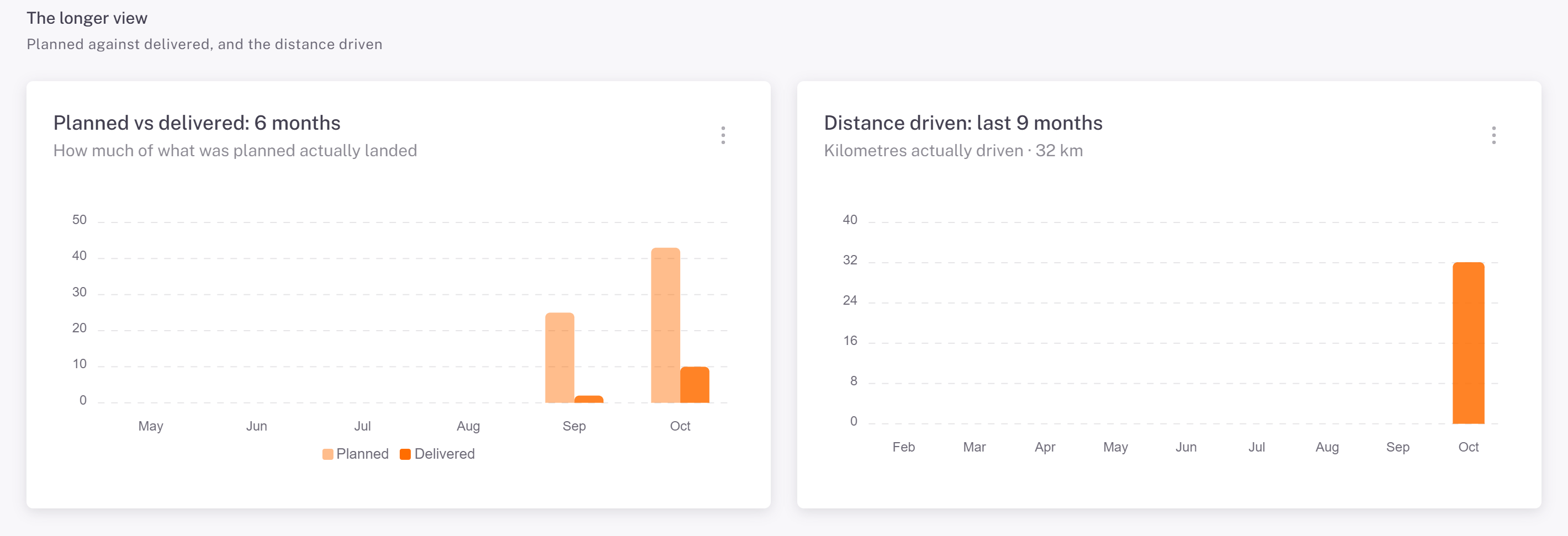
The longer view: planned against delivered over 6 months, and the distance driven over 9 months.
Was this article helpful?
Still need help?
Contact support