
Table of contents
ROUTE PLANNING PROCESS
Procedure Sheet – DROPIOO Platform
Contents
This procedure describes how to optimize delivery routes on DROPIOO—specifically, how to group and organize validated orders into efficient routes before dispatching them to drivers.
Prerequisites
At least one validated order pending planning;
Available vehicles and drivers up to date in the system.
Procedure Steps
Step 1 – Order Selection
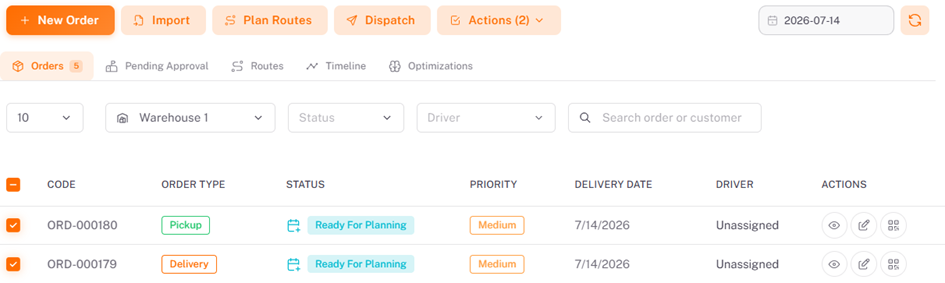
Select the order(s) to include in the route plan. The system displays the number of selected orders, as well as the planning date.
Step 2 – Selection of Planning Mode
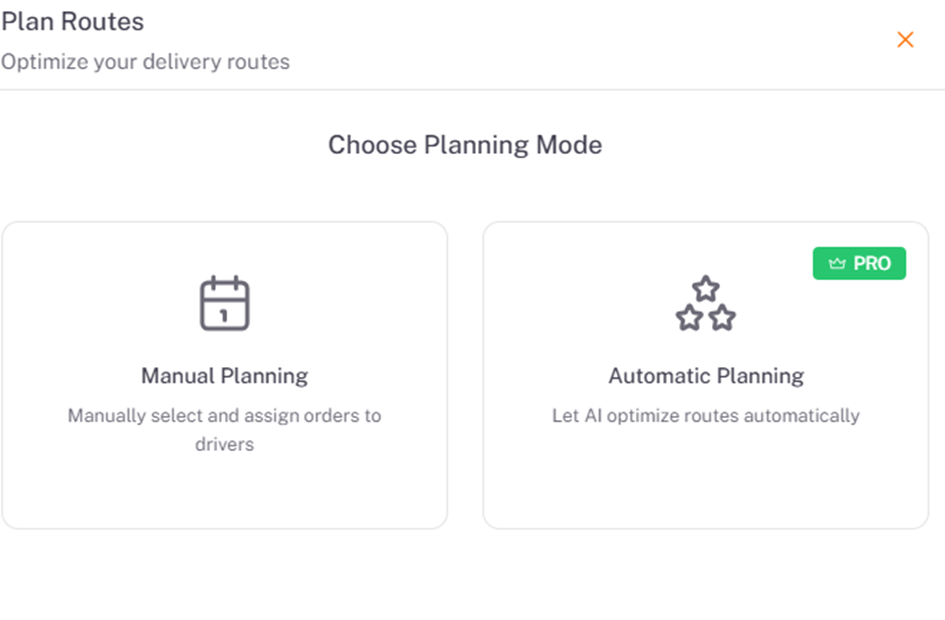
Planning can be done manually or automatically.
Step 3 – Access to Planning
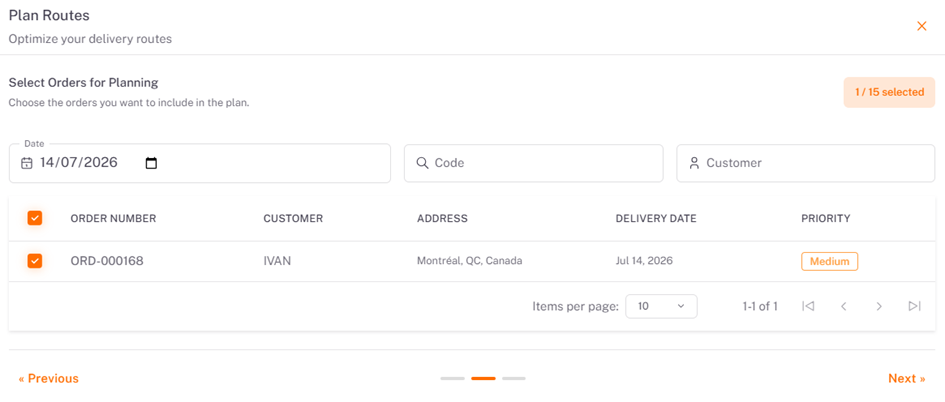
Select the order(s) to plan and click Next. This feature optimizes delivery trips based on the orders recorded in the system.
Step 4 – Route Assignment
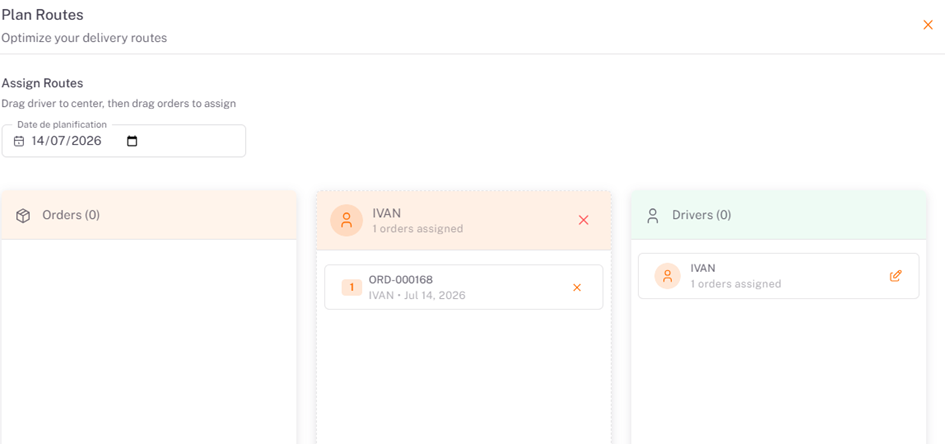
This step allows you to easily assign orders to drivers for a given planning date. After selecting the desired date, drag a driver to the central area, then move the available orders to assign them. Each assigned order appears under the corresponding driver, allowing you to quickly visualize the distribution of deliveries. Then, click Finish to run the optimization.
Note: The user can also remove an order from a route or unassign a driver at any time by clicking the ✕ icon. This feature makes it easy to organize rounds and ensures a clear and efficient distribution of orders among drivers.
Step 5 – Route Tracking on the Map
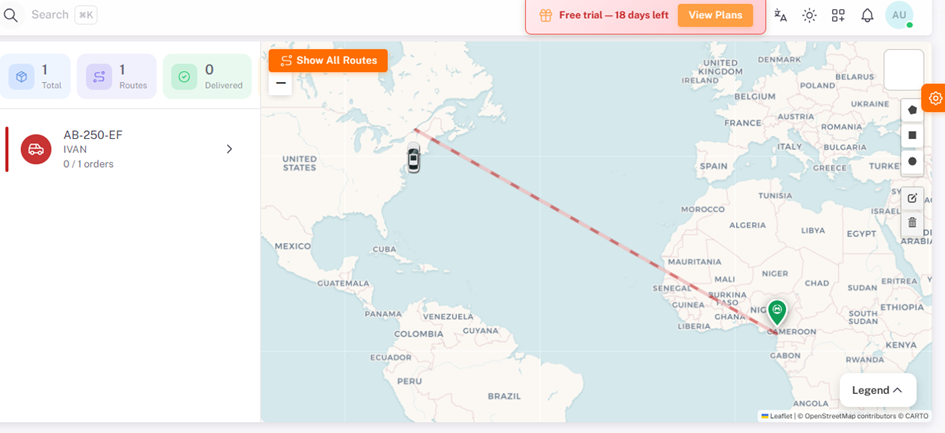
This step allows you to visualize the planned routes and track delivery statuses in real time. The map displays the driver's route between the starting point and the various delivery addresses, providing a clear view of the sequence of stops and the path taken.
The user can also view the assigned vehicle, the driver, the number of orders, the delivery progress percentage, and the status of each order. This interface enables planners and supervisors to easily monitor rounds, track delivery progress, and quickly identify pending, in-progress, or completed orders.
Result
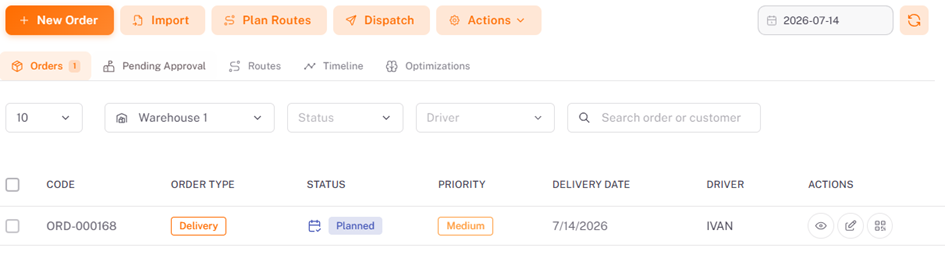
At the end of this procedure, the selected orders are grouped into an optimized route, ready to be sent to the drivers through the dispatching process.
Was this article helpful?
Still need help?
Contact support