
Table of contents
Skill Creation Process
Procedure Sheet - DROPIOO Platform
Prerequisites
Have administrative access to Drivers Management > Skills;
Have defined the list of skills/certifications required by the company;
Know the start and expiration dates for each certification.
Overview
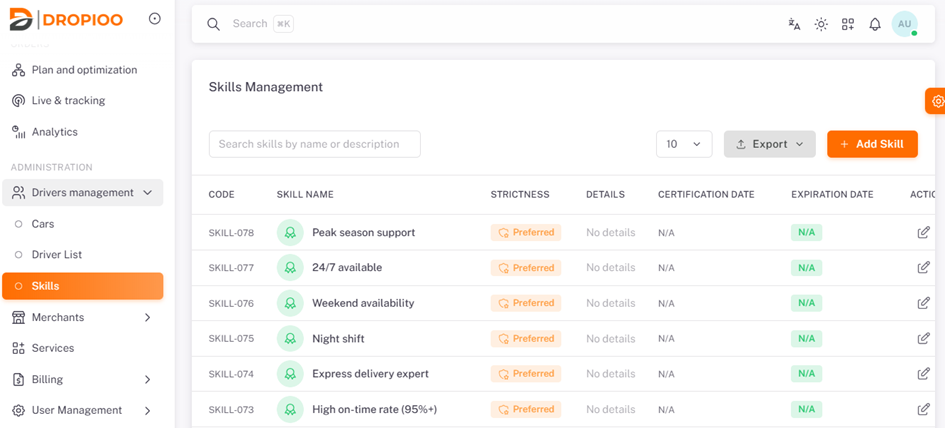
To create one or multiple skill qualifications, navigate to Administration, click on "Drivers Management", select "Skills".
Adding a skill
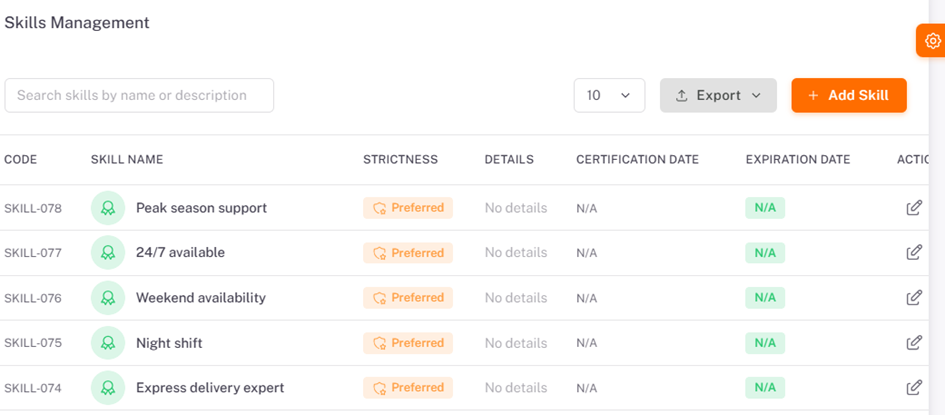
Click the "Add skill" button.
Required Information:
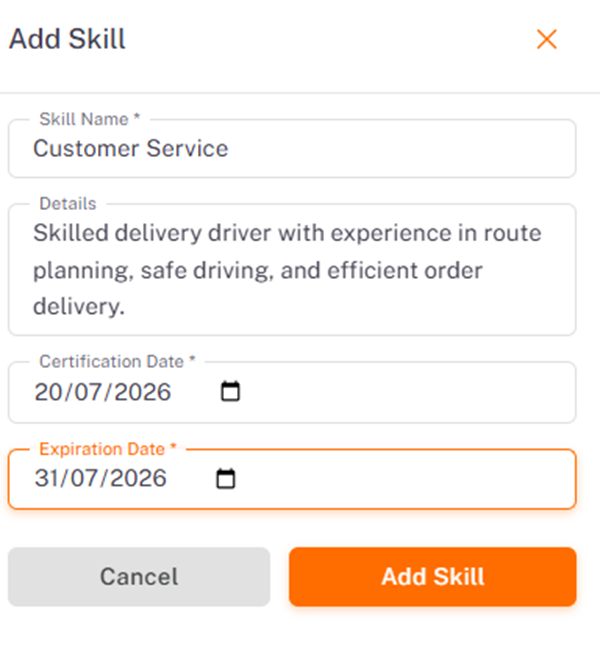
Skill Name;
Details / Description;
Certification Start and Expiration Date, then click "Add Skill".
Was this article helpful?
Still need help?
Contact support