
Table of contents
Car Creation Process
Procedure Sheet - DROPIOO Platform
Prerequisites
Have administrative access to the Drivers Management section;
Have the vehicle's license plate number;
Know the vehicle type (car, motorcycle, truck, etc.);
Know the technical specifications of the vehicle: capacity (kg), maximum payload weight, and payload volume (m³).
Steps
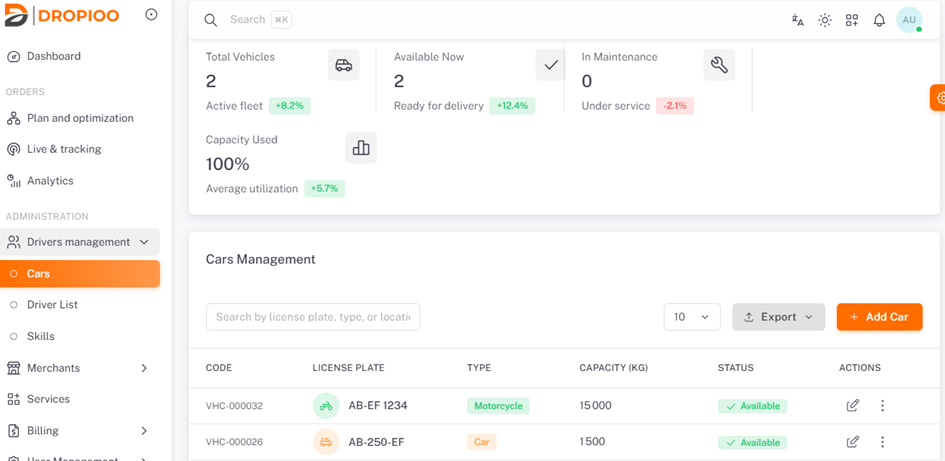
To creer one or multiple cars, navigate to Administration, click on "Drivers Management", and then select "Cars"
Adding a Vehicle
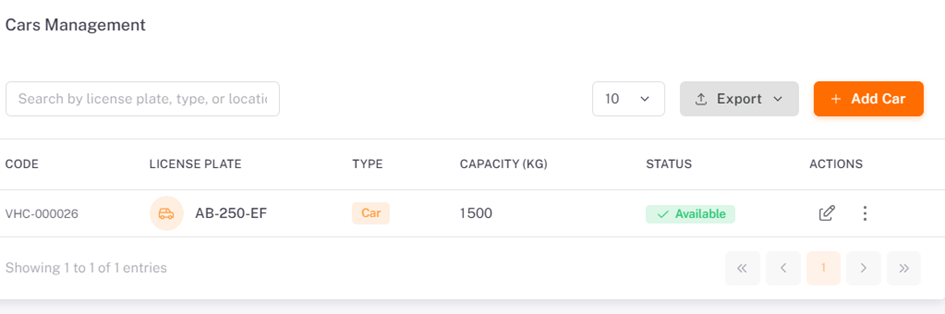
Click on the "Add New Car" button
Required Information
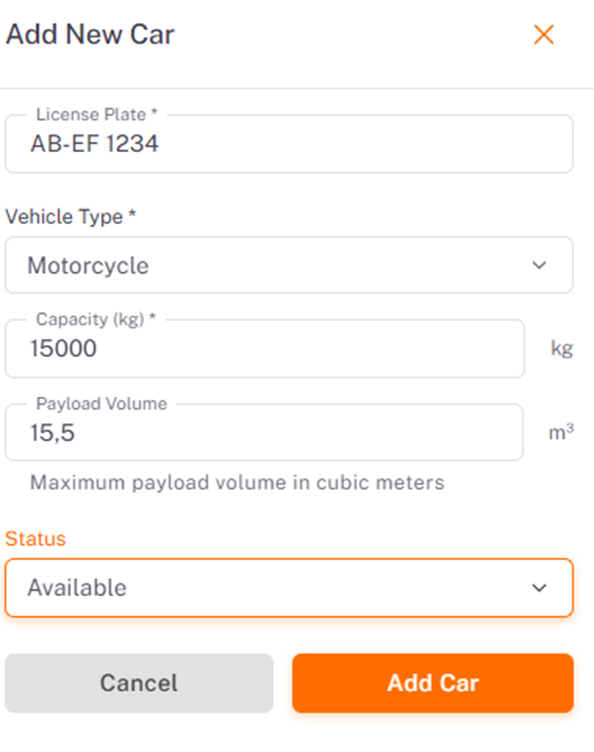
the user must enter information such as
License Plate: (e.g., AB-123-CD);
Vehicle Type: (e.g., Car, Motorcycle, Truck);
Capacity (kg): Specify the maximum gross vehicle weight capacity in kilograms (e.g., 1,200 kg);
Maximum Payload Weight: Maximum transportable payload weight (e.g., 1,200 kg);
Payload Volume: Maximum cargo capacity volume in cubic meters (e.g., 12.5 m³);
Status: Set vehicle availability status, then click "Add Car".
System Display & Management Overview
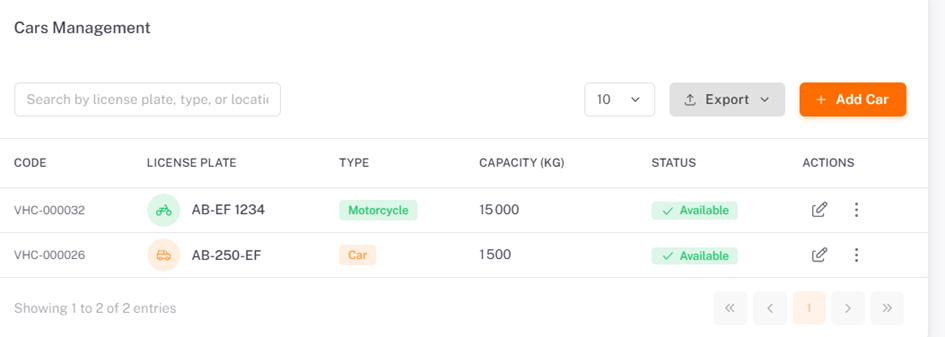
The Vehicle Management section allows searching by license plate, vehicle type, or location, reviewing registered fleets, and verifying real-time status (Available / Unavailable).
The user can see:
Displays total entry count;
Results pagination controls;
Status overview of registered vehicles.
Note: Users can export the list of available vehicles.
Was this article helpful?
Still need help?
Contact support