
Table of contents
Dropioo Merchant Getting Started Guide
Overview
Welcome to Dropioo Merchant.
Dropioo Merchant is a cloud-based platform that enables businesses to manage their shipping operations from a single, intuitive workspace. Whether you process a few deliveries each day or manage hundreds of shipments, Dropioo provides the tools you need to streamline order management, connect with delivery partners, and monitor your logistics activities in real time.
1. About Dropioo Merchant
Dropioo Merchant is designed to simplify logistics management for businesses of all sizes. The platform centralizes your shipping activities, allowing you to create and manage orders, collaborate with delivery partners, and monitor shipment progress from one place.
With Dropioo Merchant, you can:
Create and manage delivery orders.
Connect with logistics providers.
Monitor shipments in real time.
Track delivery performance.
Manage returns efficiently.
Maintain your business profile and operational settings.
The platform is accessible through any modern web browser, allowing you to manage your logistics operations from virtually anywhere.
2. Creating a Merchant Account
Creating a merchant account is the first step toward using the Dropioo Merchant platform.
Once your account has been created, you will receive a verification email to activate it before accessing the platform.
Accessing the Registration Page
To start using Dropioo Merchant, you must first create an account for your business.
Accessing the Registration Form
Go to the Dropioo Merchant registration page: https://merchant.dropioo.com/;
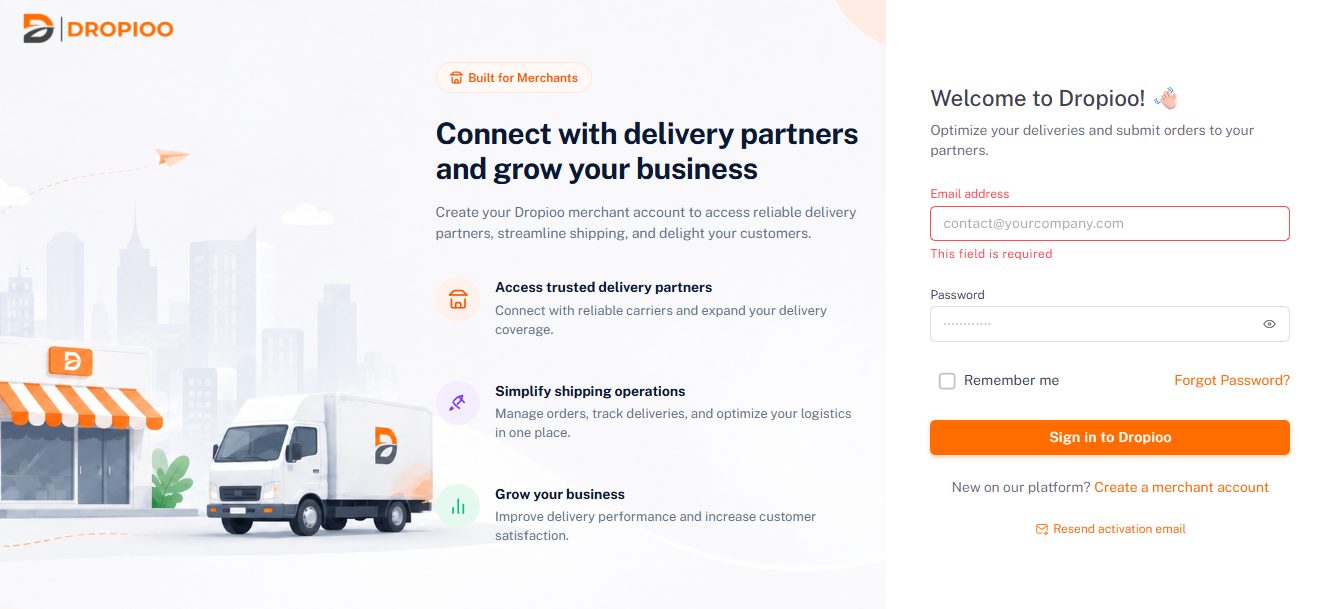
Click on "Create a merchant account";
Fill in the required fields:
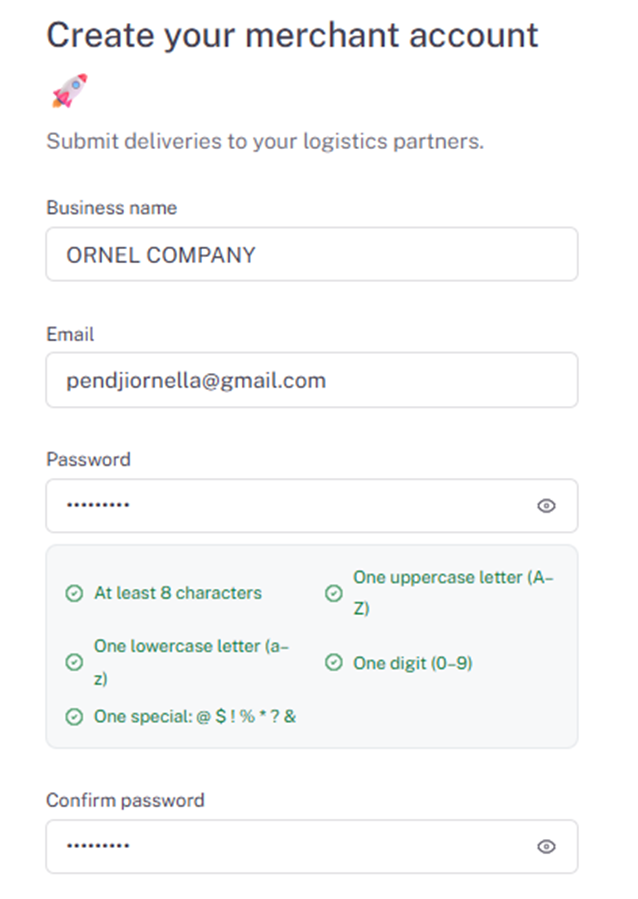
Business name: Enter the name of your company or business.
Email: Enter your professional email address.
Password: Create a secure password.
Confirm password: Re-enter your password.
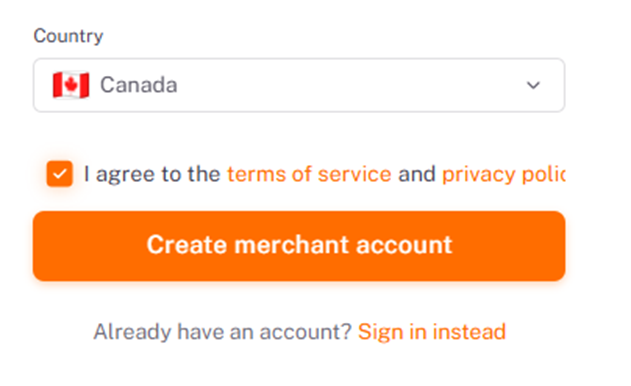
Country: Select your country from the drop-down list.
Check the box « I agree to the terms of service and privacy policy ;
Click to « Create merchant account » button.
2. Email Verification
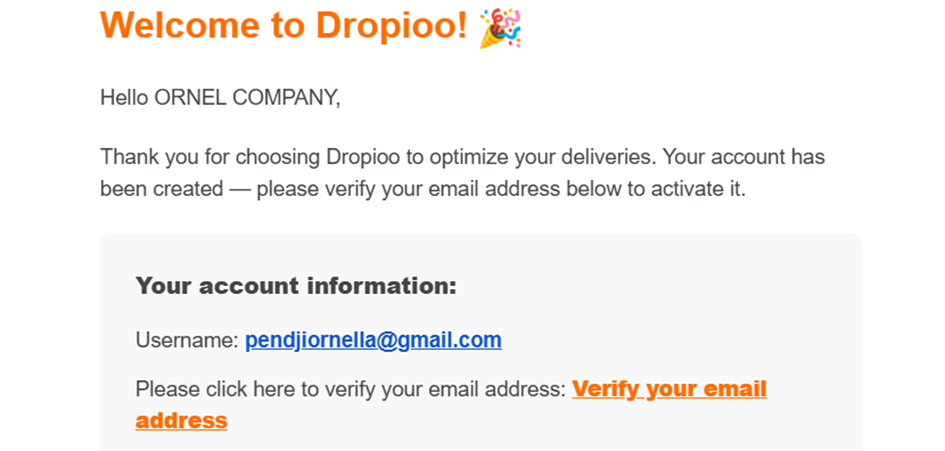
A confirmation email is automatically sent to your email address.
Open your inbox and click the orange « Verify your email address » link to activate your account.
3. Account Sign-In
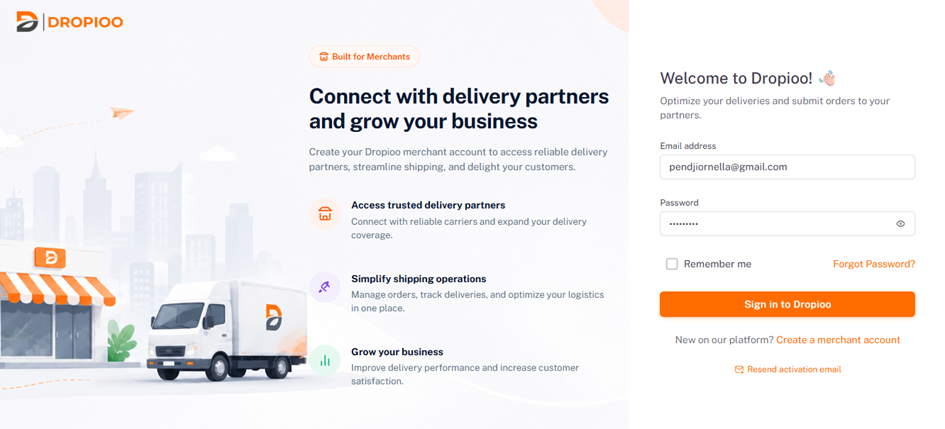
If you already have an account, click « Sign in instead » or go directly to the login page.
Enter your email address and password, then click to « Sign in to Dropioo » button
Was this article helpful?
Still need help?
Contact support