
Table of contents
Billing Process
The « Billing » module lets the user view their current subscription, manage their payment methods, and track their invoice history. It is accessible from the administration section by clicking on « Billing ».
This section is made up of three parts: the subscription plan, the payment methods, and the invoices.
Subscription Plan
To view their subscription, the user must go to Administration > Billing > Subscription Plan.
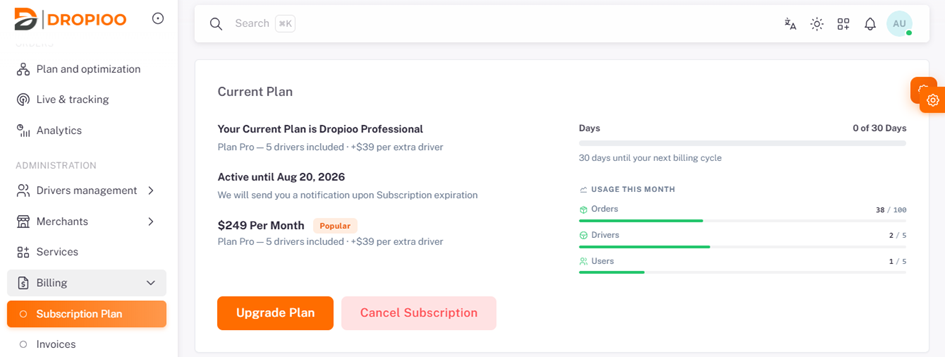
This page displays the user's current plan along with the following information:
The name of the current subscription;
The plan details;
The subscription's validity date ;
The monthly subscription rate ;
The number of days remaining before the next billing cycle;
Usage for the current month: number of orders, drivers, and users compared to the plan's limits.
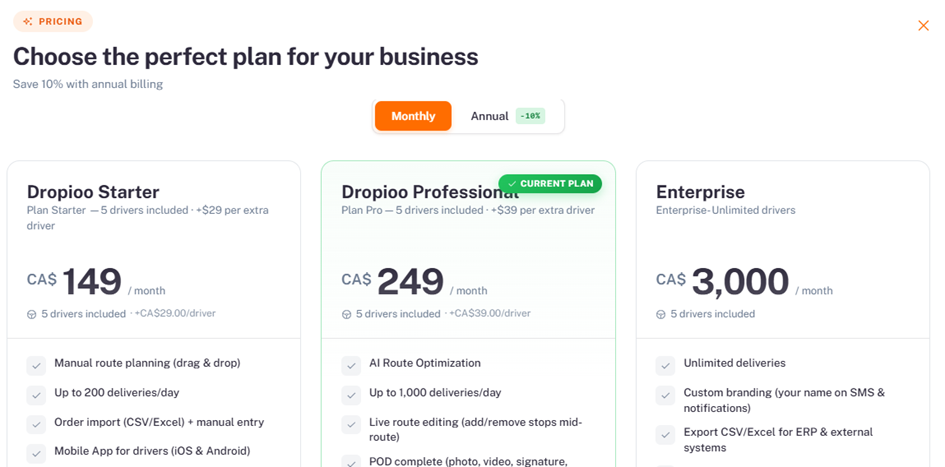
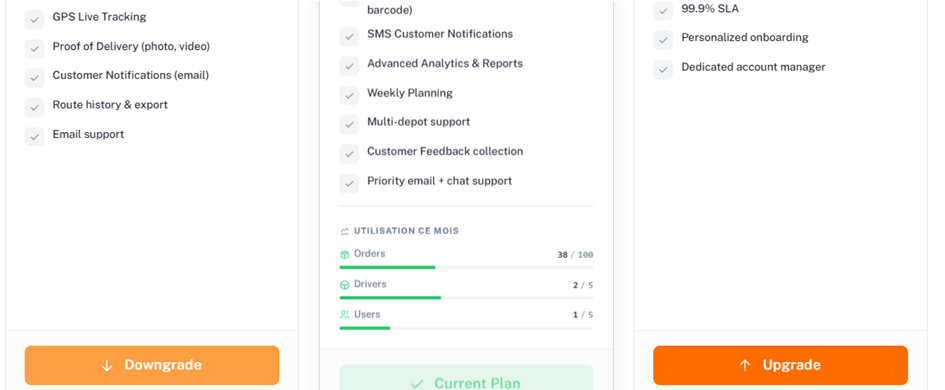
The user can click on « Upgrade Plan » to change their plan, or on « Cancel Subscription » to cancel their current subscription.
Payment Methods
From the « Billing » section, the user can also manage their payment methods.
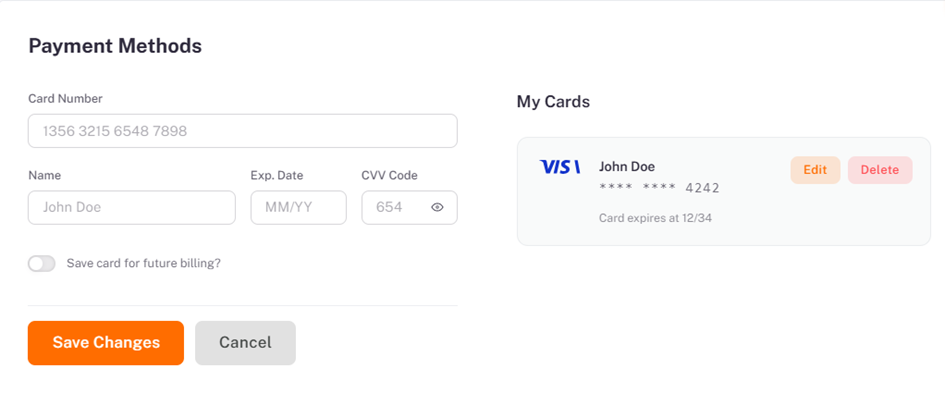
To add or edit a card, the user must fill in the following fields:
Card number
Cardholder name
Expiration date (MM/YY)
CVV code
The user can then enable the "Save card for future billing" option, then click "Save changes" to confirm, or "Cancel" to cancel the operation.
The « My Cards » section displays cards already saved, showing the card type, cardholder name, last four digits, and expiration date. For each card, the user can click « Edit » or « Delete ».
Invoices
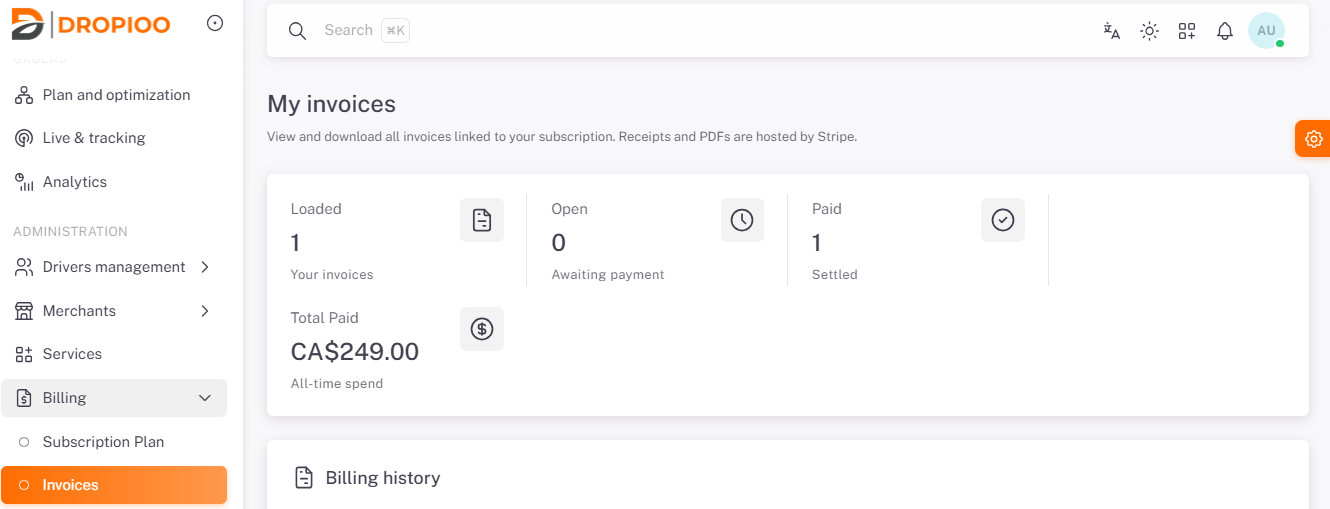
The last section lets the user view and download all invoices related to their subscription. Receipts and PDF files are hosted by Stripe.
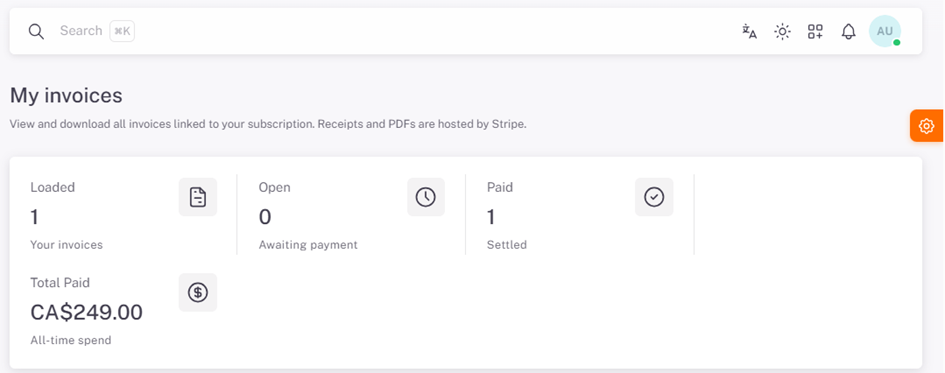
This summary shows:
The total number of invoices charged
The number of open invoices, pending payment
The number of paid invoices
The total amount paid across all charges
Billing History
The user can search for an invoice by number, filter by status, and choose how many results are displayed per page. The « Refresh » button updates the list.
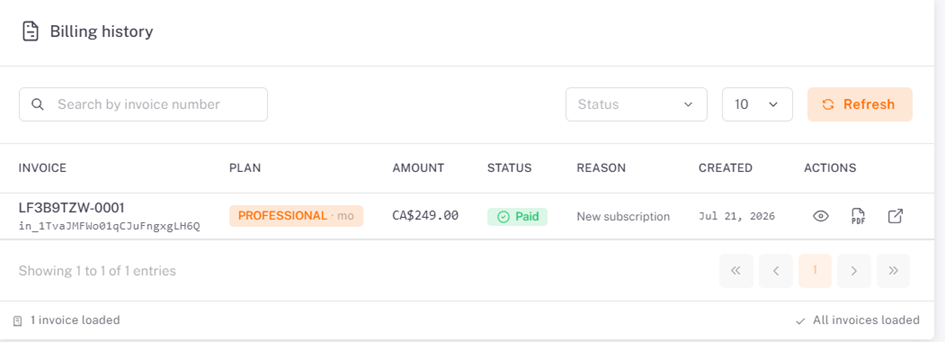
The table shows, for each invoice, the invoice number, the subscribed plan, the amount, the status (e.g. « Paid »), the billing reason (e.g. « New subscription »), the creation date, and the available actions: view the invoice or download the PDF file.
Was this article helpful?
Still need help?
Contact support